Server Administration · LESSON 1 / 7
Connect SFTP and RCON
Connect SFTP for files and RCON for commands.
Before you start
- A PimpMyRust account and a server you are authorized to manage.
- Get the required credentials from your host. Verify SFTP, RCON and the companion separately.
Follow the steps
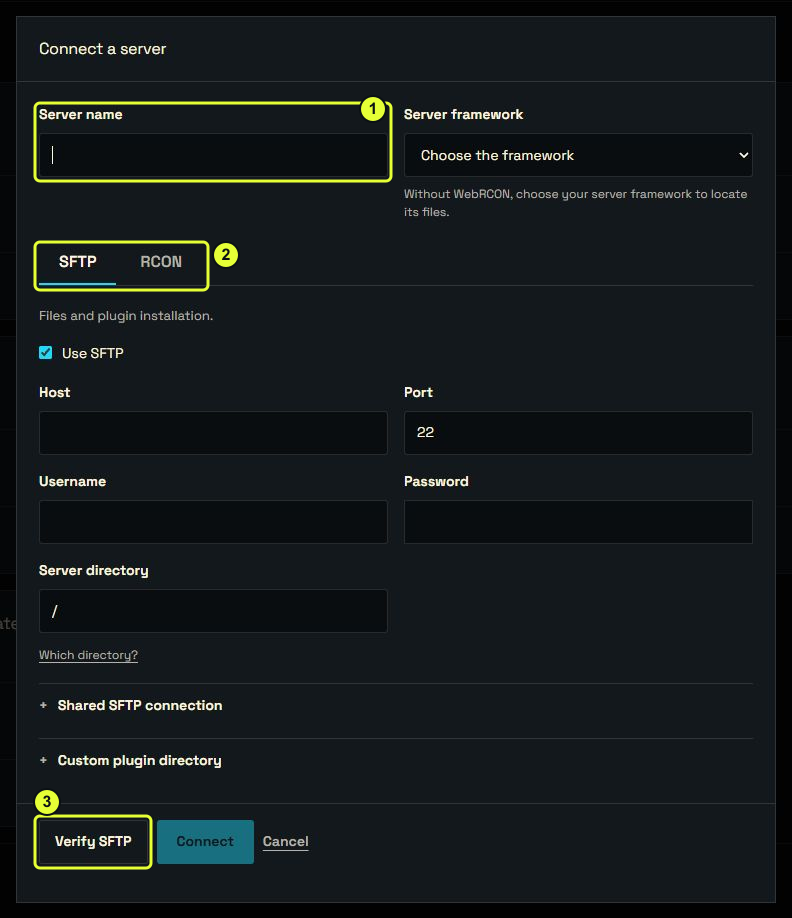
- In Hub → Servers, add a server and give it a recognizable name.
- Enter your host’s address, SFTP port and account. Test SFTP, check the Rust folder and compare any requested fingerprint with your host’s fingerprint.
- For players and commands, enter WebRCON, its port and password, then test that connection.
- Select the server in the Hub and check its name. This chooses the tools’ target; it does not replace an open configuration. To read its settings, use Import → From my server.