PimpMyCUI Editor
Create Rust interfaces.Without writing code.
Create your CUI interfaces for Rust. Build, connect and preview, right in your browser.
Free · open to guests
In the workshop
One idea. Your interface.
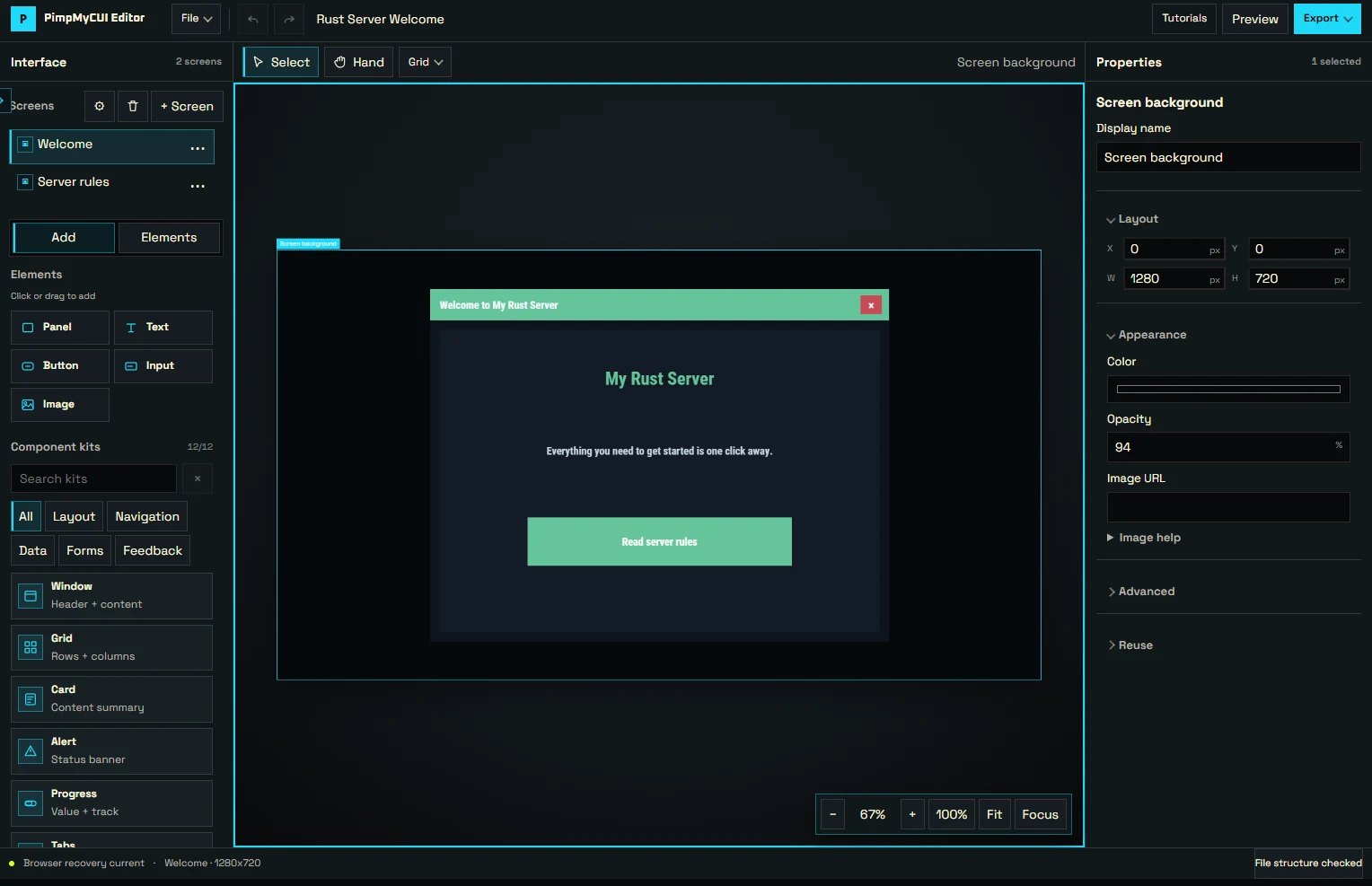
Editor · two-screen interface
Build with components
Windows, text, buttons, inputs and images: assemble your interface, then adjust its properties.
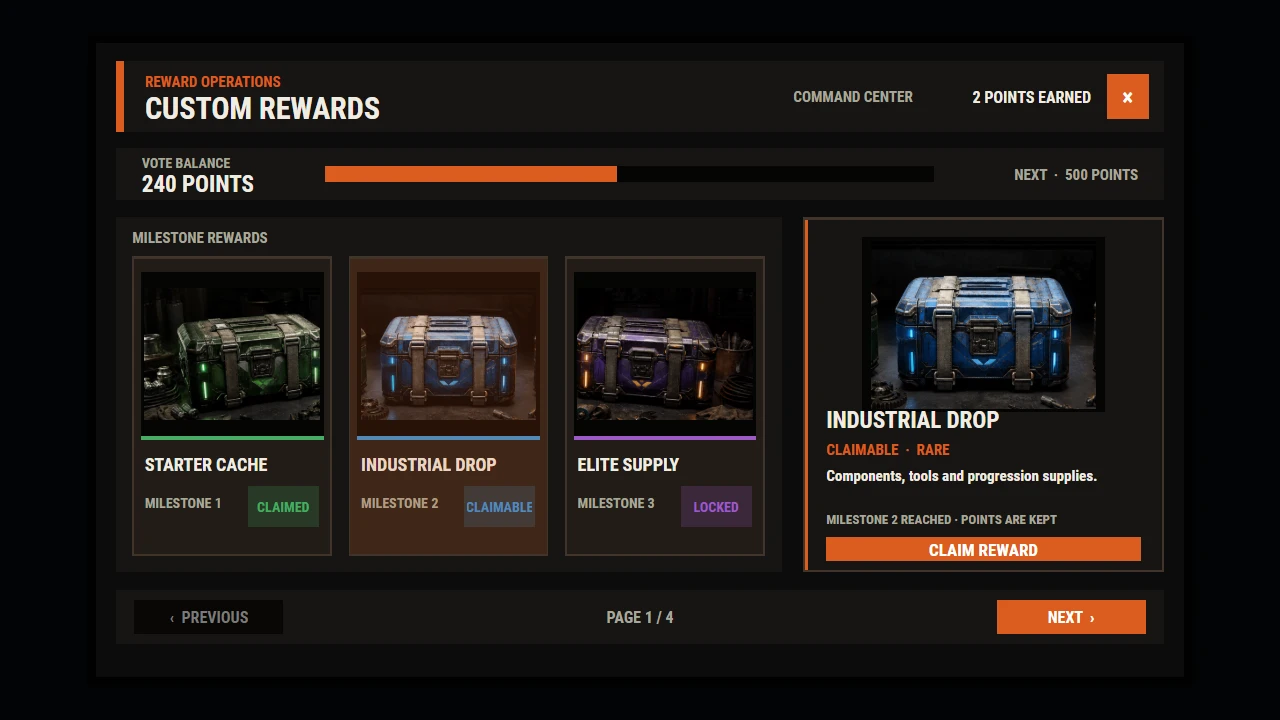
Custom Rewards · beta CUI preview
Make the flow work
Connect multiple screens. Try navigation and local interactions in Preview.
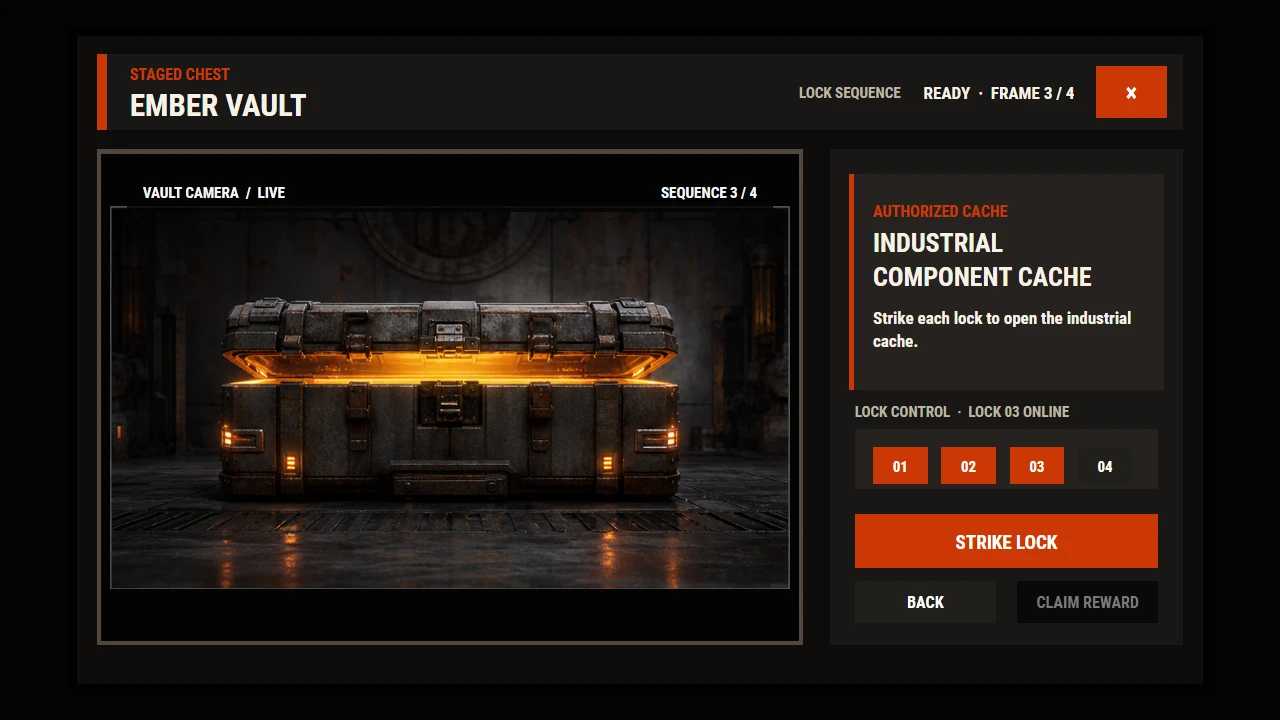
Custom Rewards · beta CUI preview
Make it yours
Customize colors, layout and images. Keep your JSON project to continue editing later.
Elements, anchors and actions to assemble in code.
An interface to build visually, then test.
From idea to file.
Build
Start with a blank screen, a component or import your JSON project.
Try
Connect your screens and check the flow in Preview.
Export
Keep the editable project and export the package for PimpMyCUI.
In game, the package needs the free PimpMyCUI runtime and testing on your server. Check availability →
Good to know.
Do I need an account to create a CUI?
No. The editor is open to guests. Import and export your JSON project for free; keep that file, as the browser draft is not a cloud backup.
How do I display the interface in Rust?
The package requires the free PimpMyCUI server plugin. Preview simulates local interactions, but does not guarantee commands or in-game behavior. Check runtime availability →