ChatGPT · LESSON 4 / 6
Edit and export your files
Edit a saved configuration or window, check the result and choose the right export.
Before you start
- A PimpMyRust account and ChatGPT access that allows adding a custom MCP server under your workspace rules.
- For server actions, a server connected in PimpMyRust and the corresponding permissions granted to the connection. Preparing files or windows does not require a connected Rust server.
Video and chapters
0:24 · Silent video
On screen
Compare the change
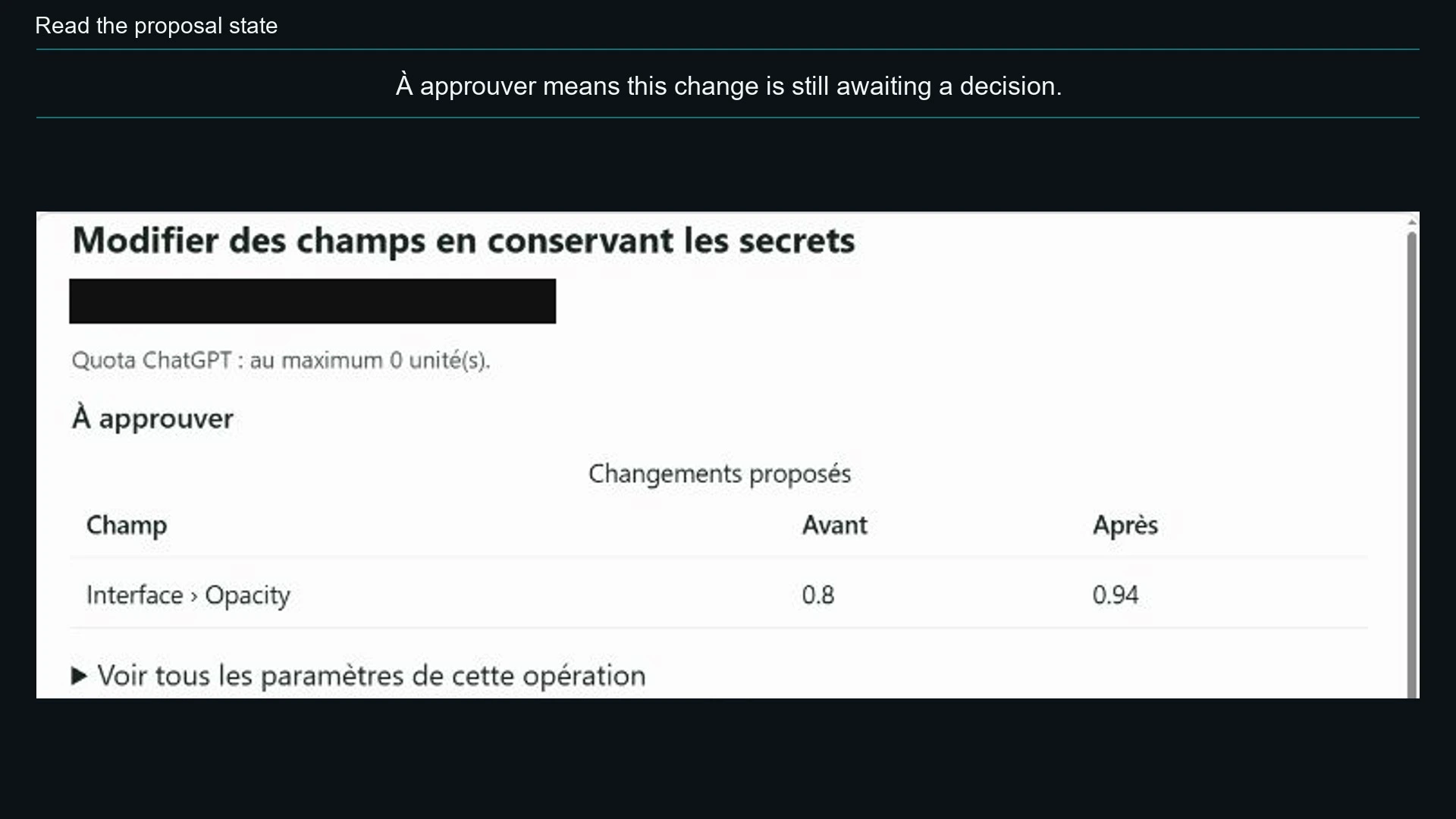
The table shows Interface › Opacity: 0.8 → 0.94.
Descriptive transcript and files
This video is silent. The transcript describes actions and visual results; captions repeat the on-screen instructions.
- 0:00
Compare the change — The table shows Interface › Opacity: 0.8 → 0.94.
- 0:08
Read the proposal state — À approuver means this change is still awaiting a decision.
- 0:16
Read the result — Opération effectuée confirms the configuration change. This example does not contact a Rust server.
Follow the steps
- Specify the plugin, channel, version and saved configuration or project to read. Request one concrete change. A copy that exists only in your browser must first be saved or imported on the site.
- Review the before/after values and affected files. Approve only the intended change. Saving to your account does not modify the Rust server.
- For a saved CUI window, request a specific page, template or frame change. After approval, request an image of the new revision and have it displayed in the conversation. Check text, proportions and any media reported as missing.
- Choose the intended export: editable project to resume editing, or installation files. Use the PimpMyRust website download when offered for private contents or CUI windows. Open the file actually saved before installing it.
Visual reference