PimpMyCUI Editor
Create your Rust interfaces
Create a window, add pages and choose how players open it. Use the advanced editor to customize individual elements.
Free · no account required
Creation tools
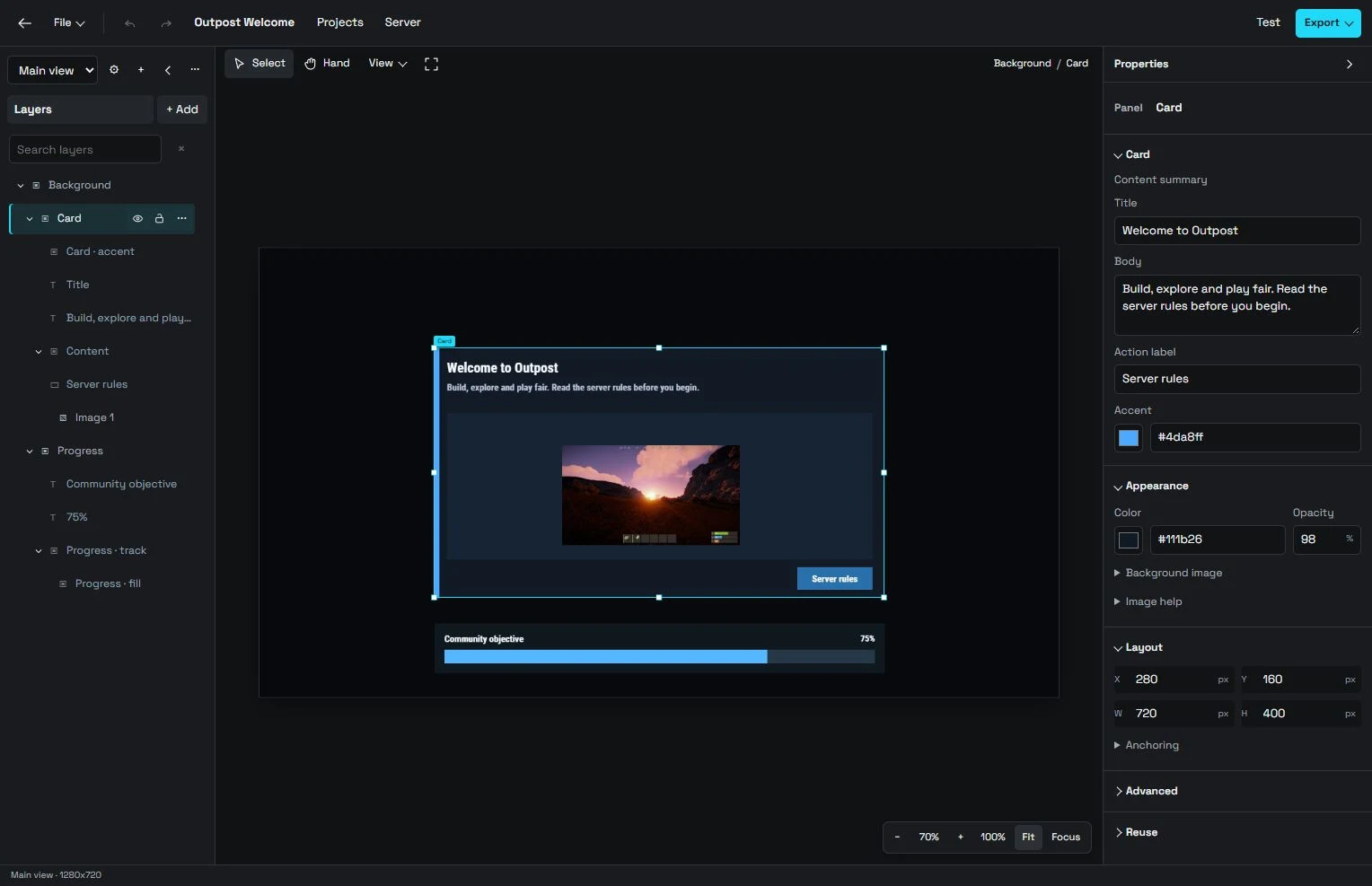
Editor · two-screen interface
Build with components
Windows, text, buttons, inputs and images: assemble your interface, then adjust its properties.
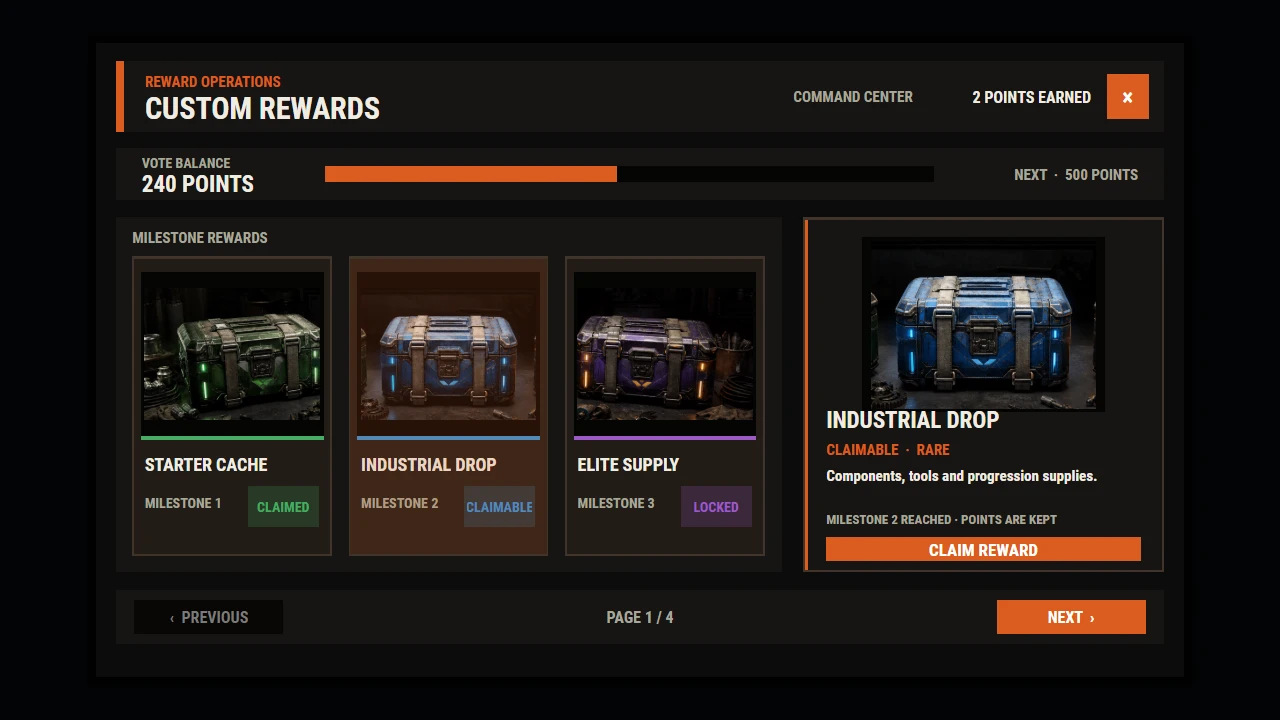
Custom Rewards · PimpMyCUI template
Screen navigation
Connect multiple screens. Try navigation and local interactions with Test.
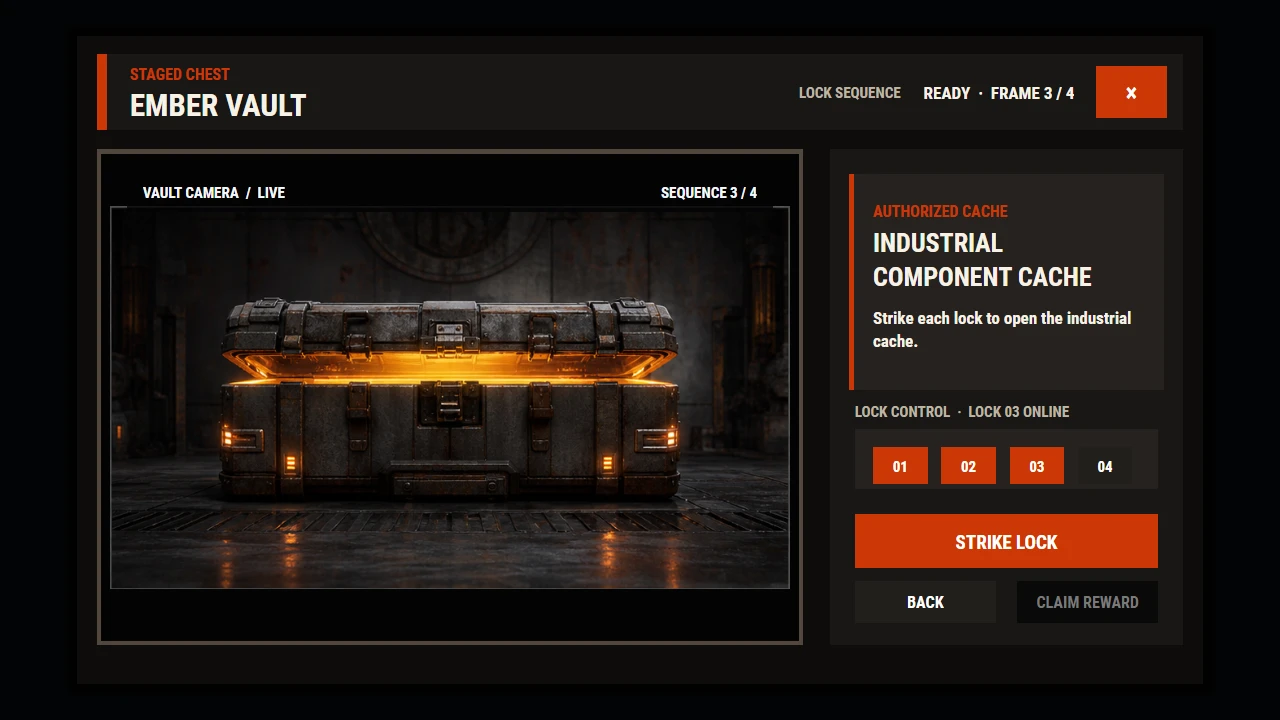
Custom Rewards · PimpMyCUI template
Colors and layout
Customize colors, layout and images. Keep your JSON project to continue editing later.
Create an interface in three steps
Build
Choose a window without navigation, with a side menu or with a top menu. Add your pages, or start with the ready-made server menu.
Try
Customize page content and appearance. Try the buttons and navigation in the preview.
Send or download
Download the files for installation or send your interface from the Hub.
To display the interface in Rust, install the free PimpMyCUI plugin on your server. PimpMyCUI →
Frequently asked questions
Do I need an account to create a CUI?
No. The editor is open to guests. Import and export your JSON project for free. An account also lets you save the editable project and apply the interface to a connected server. Saving the project does not install it in Rust.
How do I display the interface in Rust?
The package requires the free PimpMyCUI server plugin. Preview simulates local interactions, but does not guarantee commands or in-game behavior. Project or package?
Can a player open my CUI with /menu?
Yes. In your window’s Opening tab, set a command such as menu and choose the allowed groups or permissions. These settings are included in the installation files. Set up a command →